Your download has started
ZeroPanel.rbxm is downloading now. One last step to install it.
LAST STEP
Put it in your game
BEFORE YOU START · ONCE PER PLACE
- Save your place to Roblox (File → Save to Roblox). A place that only lives on your disk has no cloud storage, and the install needs one. Studio restarts the place on its own right after, that is normal, just wait for it.
- Enable Studio Access to API Services (File → Experience Settings → Security). Recommended: this turns on DataStores, which is how ZeroPanel saves roles, config, bans and sanctions. Skip it and all of that resets every time the server restarts.
- Allow HTTP Requests (same Security tab). Optional, only needed if you want ZeroPanel to send its logs to a Discord webhook.
1Drag the file into Studio
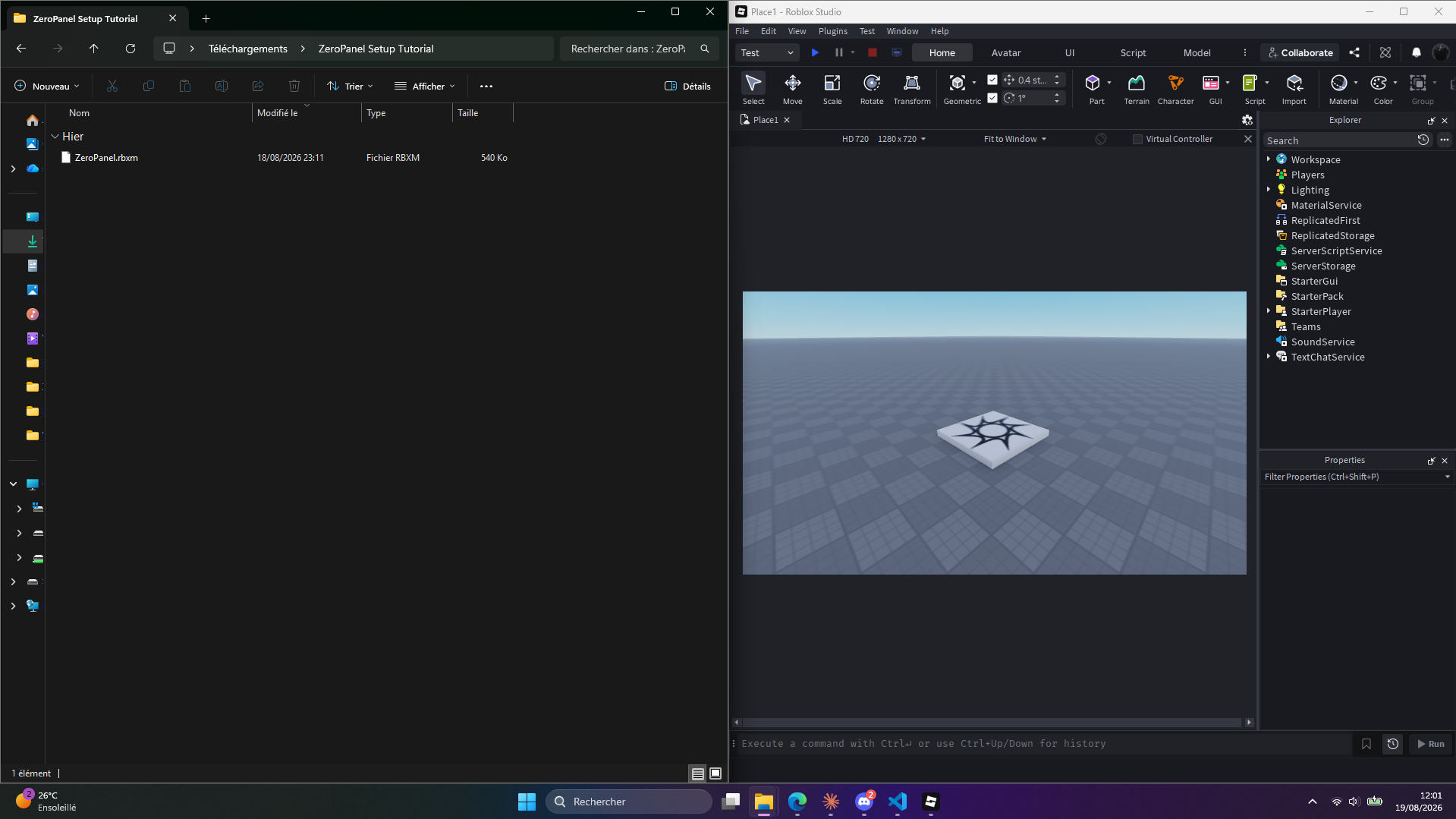
Drop ZeroPanel.rbxm anywhere in your place. That is the whole import: it lands as a folder called ZeroPanel Installer.
2Copy the one line it gives you
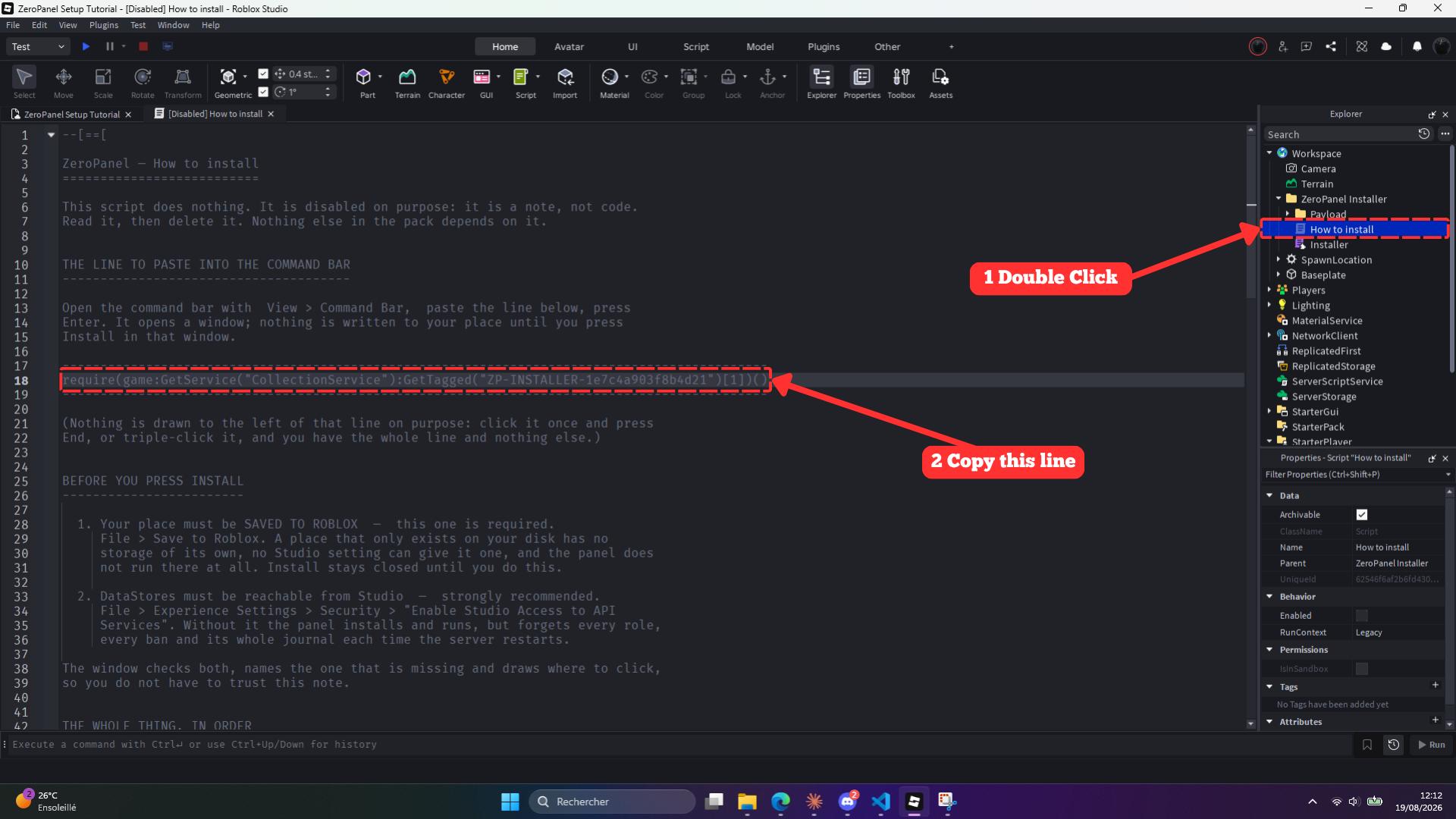
Open ZeroPanel Installer → How to install and copy line 18, the one it points you to. It is not a script you run by pressing play, it is a line you paste next.
3Paste it in the Command Bar and run it
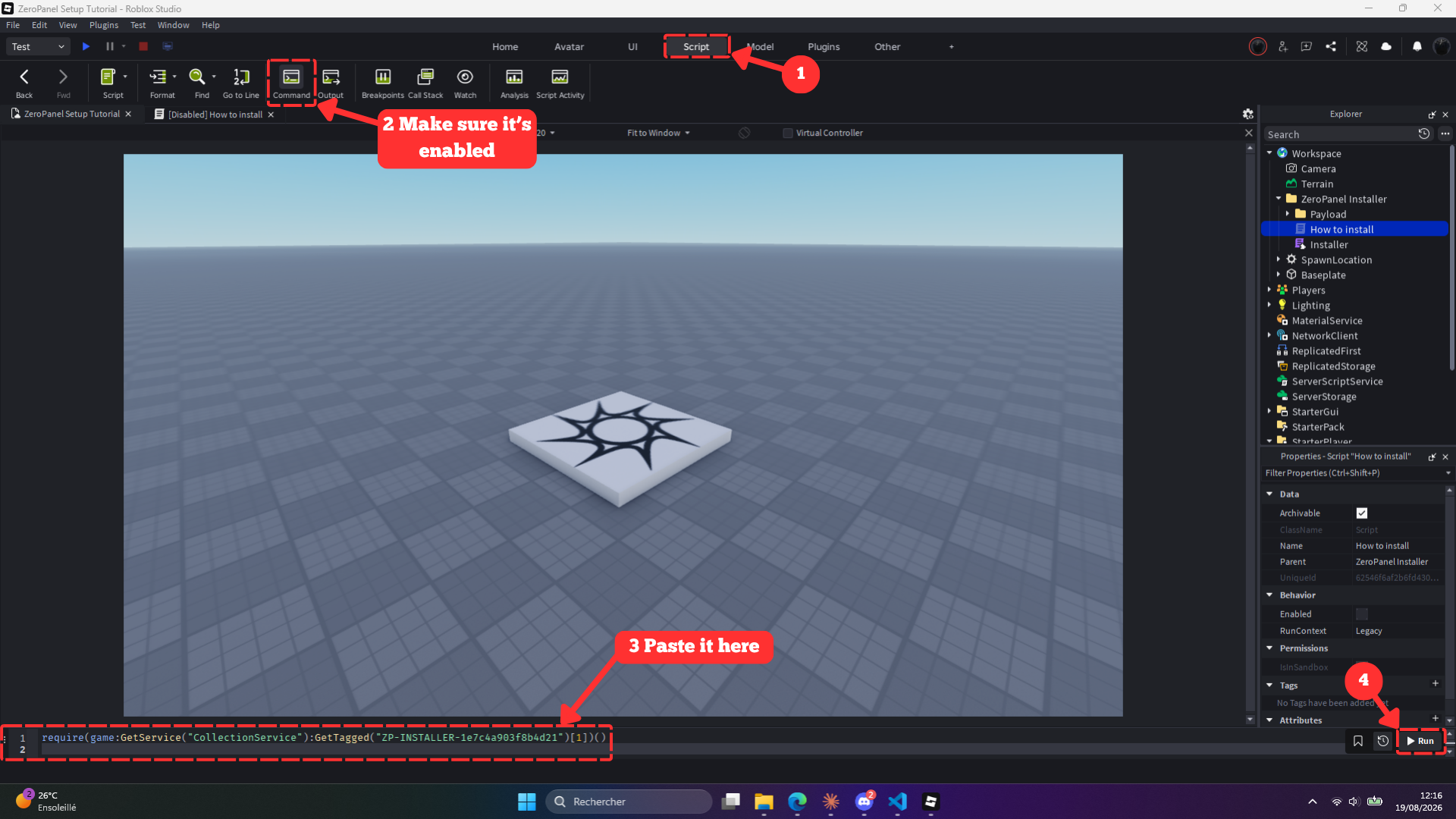
Script tab → make sure Command Bar is ticked. It shows up at the bottom of Studio: paste the line in, hit Run.
Play the game, open the panel, and give your moderators a role. Nothing above is a script you have to understand, it is copy, paste, run.
Need more help? Join the Discord community.